Whiplash RamadanCTF writeup
The challenge was to find a way to get the flag from the Azure Web App. The flag was hidden in the SCM site of the Azure Web App. The SCM site is a special site that is used for deployment and management of the Azure Web App. It is not accessible to the public and requires authentication.

22nd March 2026
Prepared By: CodeBreaker44
Challenge Author: CodeBreaker44
Difficulty: Medium
Classification: Official
Whiplash
Description:
I’m here to push people beyond what is expected of them.
Skills Required
- Basic Powershell understanding
- Basic Windows OS understanding
- Azure Fundamentals
- Azure Web Apps
- How Azure Web Apps work and how to deploy them in various ways
- How to use Azure Web Apps Kudu Console
- How to use Azure Web Apps Advanced Tools
Skills Learned
- How to use Azure Web Apps Kudu Console
- How to use Azure Web Apps Advanced Tools
- Google Dorking
- Researching and finding vulnerabilities in Azure Web Apps and how SCM sites work
Challenge/Solution
The challenge was to find a way to get the flag from the Azure Web App. The flag was hidden in the SCM site of the Azure Web App. The SCM site is a special site that is used for deployment and management of the Azure Web App. It is not accessible to the public and requires authentication.
The challenge starts with a static website with no functionality at all. The Fancy Webapp
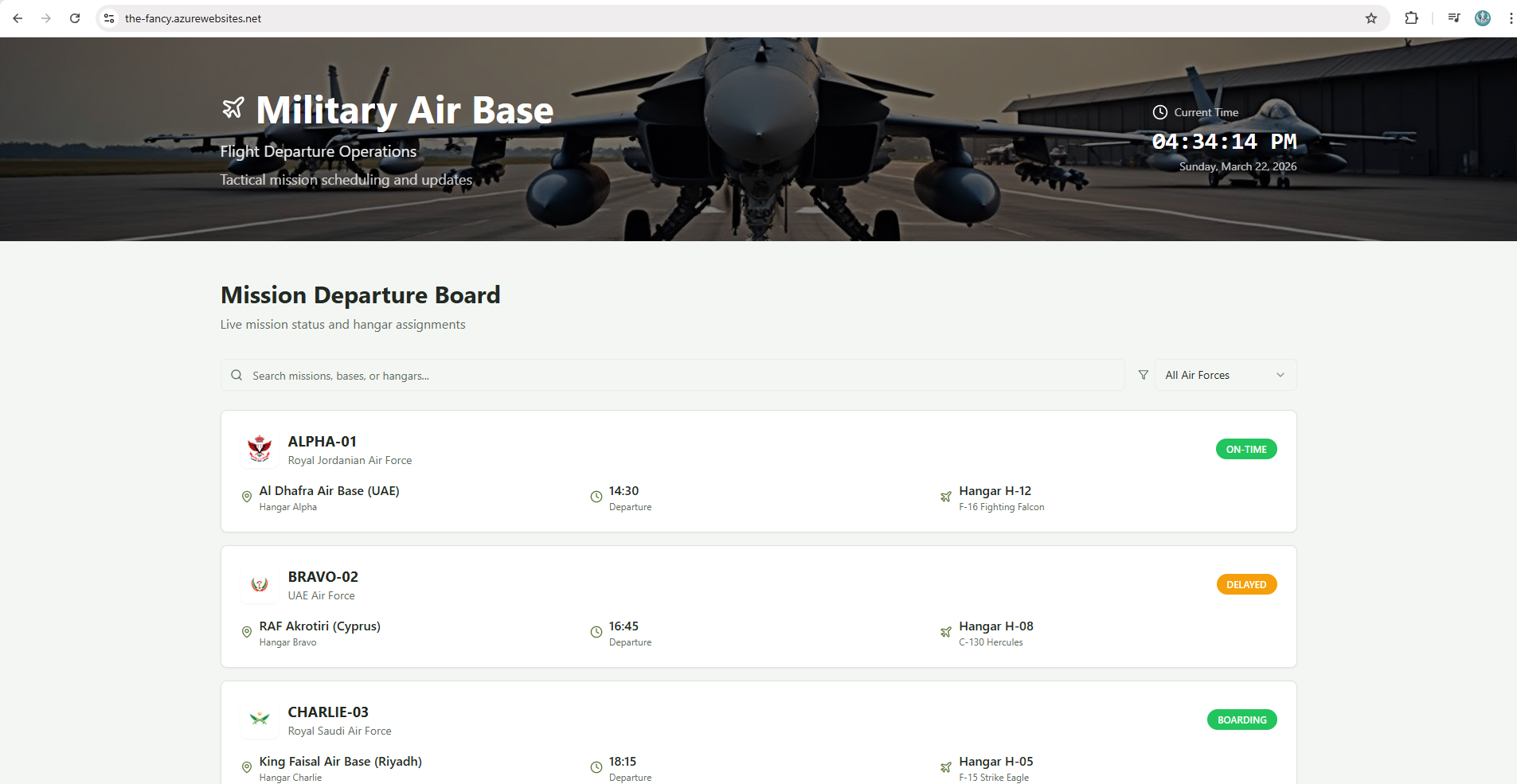
as it can be observed, nothing can be done in terms of the website itself, but how about checking what is running this website, by using Wappalyzer, we can see that the website is running on Azure under PaaS service, beside that if we notice the URL, we can see that it is running on Azure Web Apps, which is a PaaS service provided by Azure.
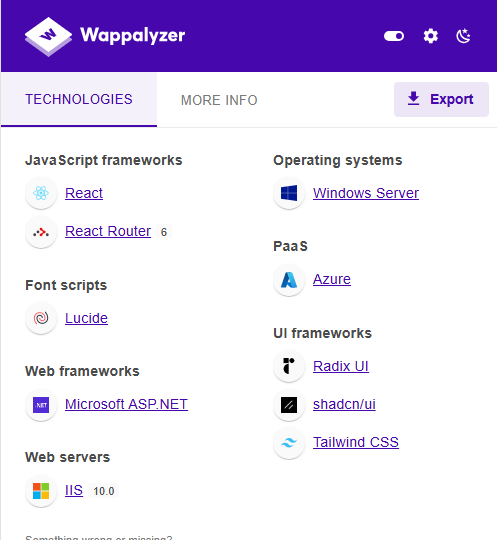
PaaS (Platform as a Service): Is a cloud computing model that provides a platform for developers to build, deploy, and manage applications without having to worry about the underlying infrastructure. Azure Web Apps is a PaaS service that allows developers to host web applications in the cloud.
Azure Web Apps is a fully managed platform that provides a range of features and capabilities for hosting web applications, including support for multiple programming languages, automatic scaling, and built-in security features. It also provides a range of tools and services for monitoring and managing web applications, making it a popular choice for developers looking to host their applications in the cloud.
After knowing that the website is running on Azure Web Apps, we start looking on how content is managed on the web app.
After some research on how Azure Web Apps work, we found that there is a special site called SCM site that is used for deployment and management of the Azure Web App. The SCM site is not accessible to the public and requires authentication.
so we can try to access the SCM site by adding scm to the URL of the web app, which will take us to the SCM site of the web app.
The Fancy SCM Site
we will see that we are prompted with a login page, which means that the SCM site is protected and requires authentication.
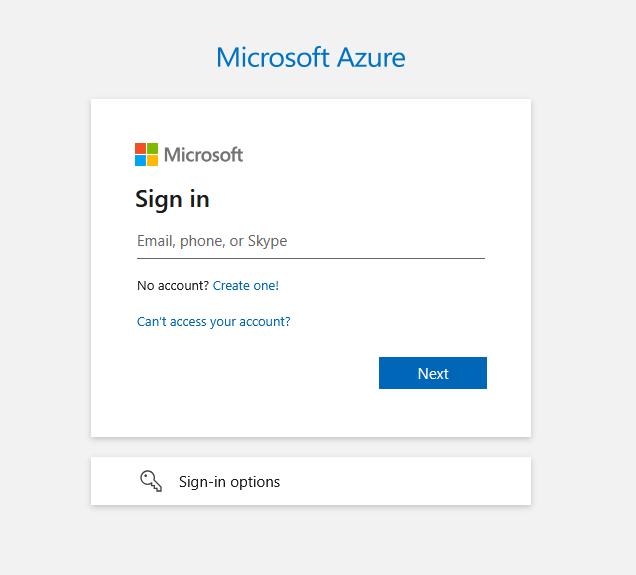
But the question is, how can we get the credentials to access the SCM site?
See this takes us to the idea on how this website got deployed as Azure Web Apps have multiple ways to be deployed, one of the ways is by using GitHub Actions, which is a CI/CD tool that allows developers to automate the deployment of their applications to Azure Web Apps. OR it can be deployed as a ZIP file via a local machine, which is another way to deploy applications to Azure Web Apps.
and one last method is by deploying the web app via a Docker Image hosted on Docker Hub or Azure Container Registry.
Since we have the website saying that the application being updated every 30 seconds, we can assume that the website is being deployed via Docker Image.
A common method for developers to deploy their applications is to name the web app same as the docker images, so we can try to search for the web app name on Docker Hub to see if we can find the docker image that is being used to deploy the web app.
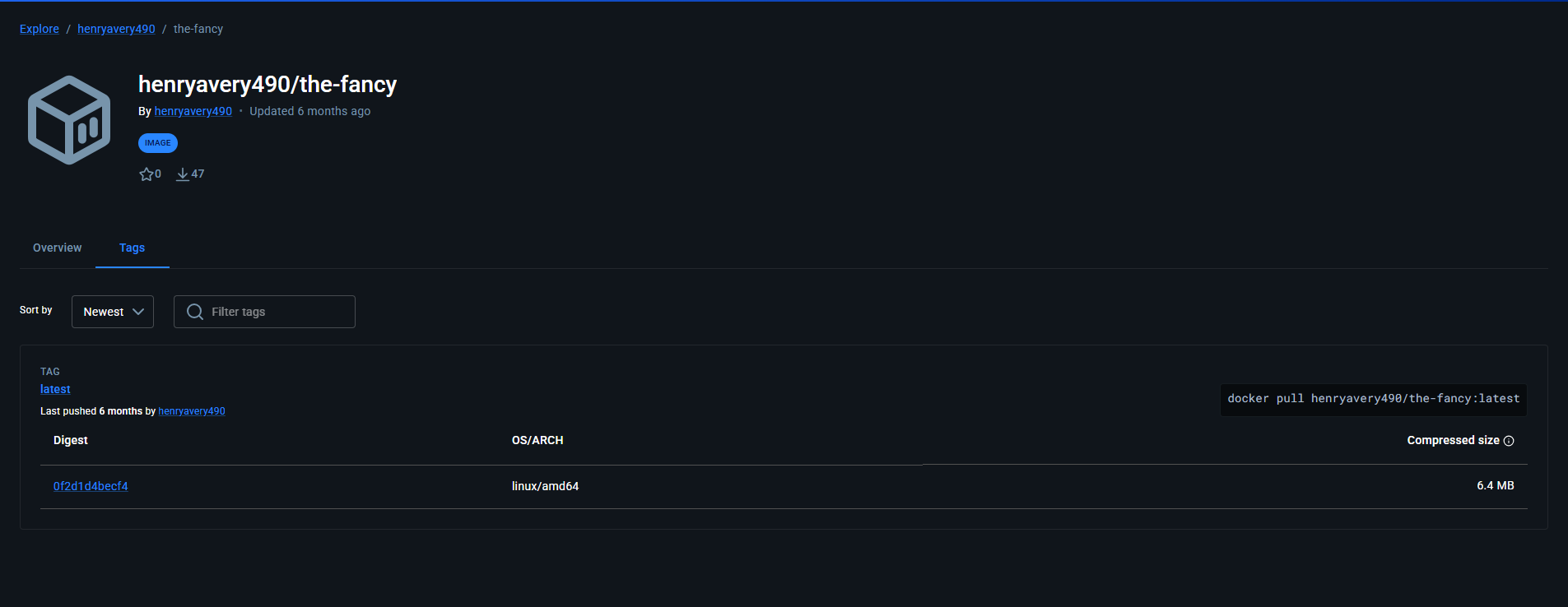
if we inspect the docker image, we can see that there are leaked credentials inside the docker file, which can be used to access the SCM site of the web app.

The creds are in the format of username:password, so we can use these creds to access the SCM site of the web app, an they are Base64 encoded, so we need to decode them first to get the actual creds.
once done we can access the login page of the SCM site.
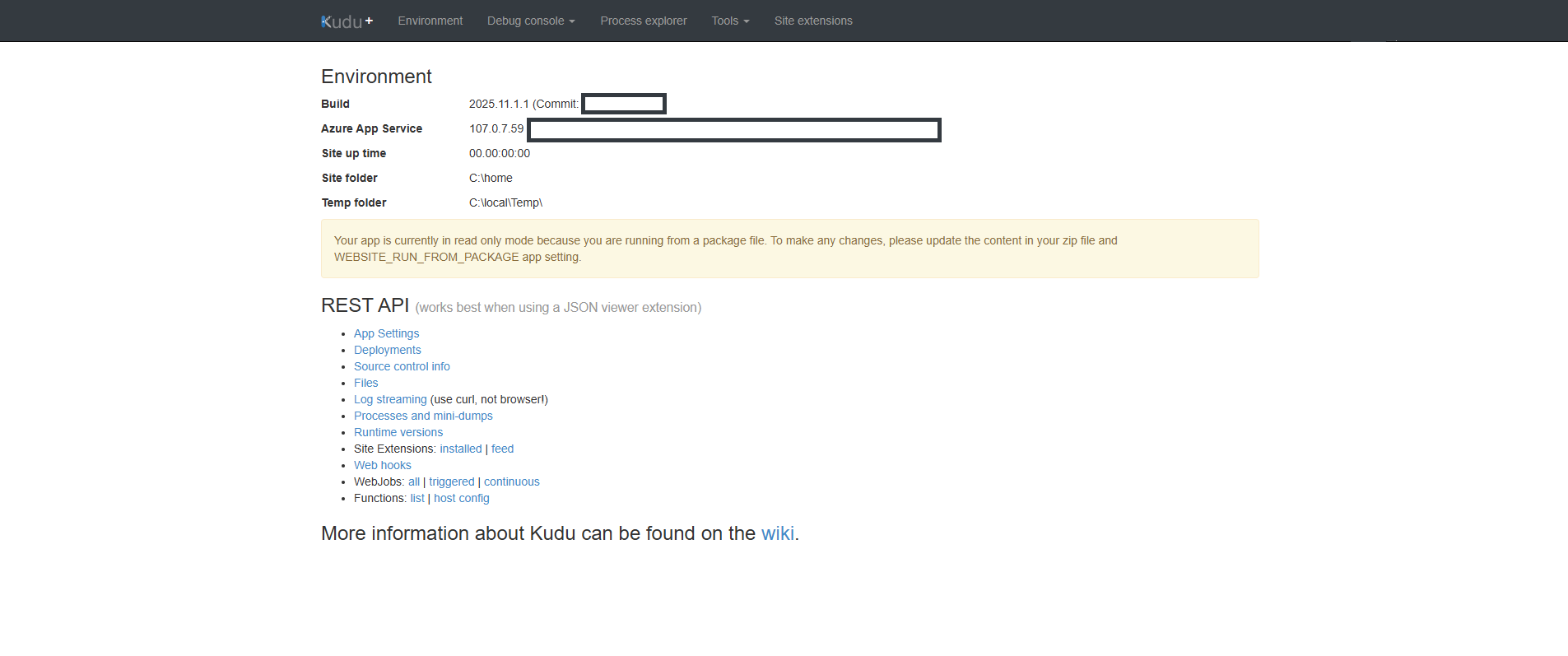
Kudu is the engine behind git deployments in Azure Web Apps. It provides a set of tools and features for managing and deploying web applications, including support for multiple programming languages, automatic scaling, and built-in security features. Kudu also provides a range of tools and services for monitoring and managing web applications, making it a popular choice for developers looking to host their applications in the cloud.
After logging in to the SCM site, we can access the Kudu console, which is a command-line interface that allows us to run commands on the Azure Web App.
But Before we can check the ENV Values of the this web app via the Kudu console, we see that there is a value called Secret which is a Base64 encoded string, so we need to decode it first to see what it contains.
after decoding the Secret value, we can see that it contains the flag for the challenge.

Decoded Secret Value:
RamadanCTF{REDACTED_FOR_WRITEUP_PURPOSES}Conclusion
In this challenge, we were able to find the flag by researching and finding vulnerabilities in Azure Web Apps and how SCM sites work. We were able to find the leaked credentials in the docker image that was used to deploy the web app, which allowed us to access the SCM site and get the flag from the Secret value. This challenge taught us how to use Azure Web Apps Kudu Console and how to use Azure Web Apps Advanced Tools, as well as how to research and find vulnerabilities in Azure Web Apps.
References
- Azure Web Apps Documentation
- Azure Web Apps Kudu Console Documentation
- Azure Web Apps Advanced Tools Documentation
- Docker Hub
- Can Azure Static Web App pull an image from Azure Container Registry?
- How to deploy a Docker container to Azure Web Apps
- How to deploy a Docker container to Azure Web Apps using GitHub Actions
SIC.PARVIS.MAGNA